
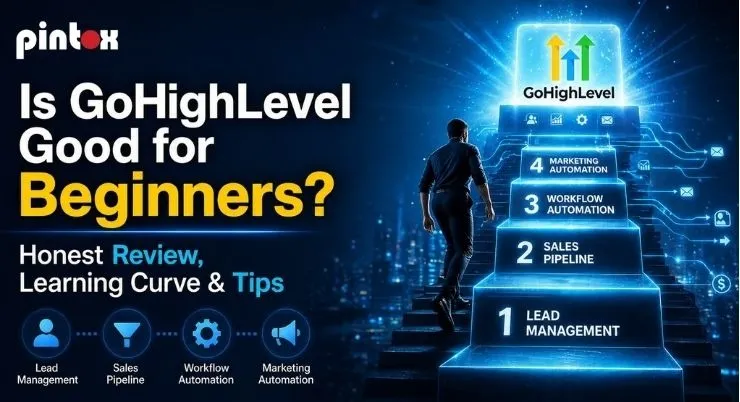
If you’re new to CRMs, GoHighLevel can feel like a lot. It promises an all-in-one setup for leads, follow-up, and bookings. Beginners usually want simple tools that work fast. They also want clear steps and fewer surprises.
This guide is a practical, USA-focused review. You’ll learn what’s easy, what’s confusing, and how to start the right way. You’ll also see the real learning curve and setup tips that prevent wasted time.
If you want a faster start, you can get help setting it up. More on that near the end.
Is GoHighLevel Good for Beginners? Quick Verdict + Who It’s Best For
The 60-second summary
GoHighLevel can be a beginner-friendly CRM software choice. That’s true if you follow a simple setup plan. It works best when you need leads, booking, and follow-up in one place. It can also be a user-friendly CRM platform once your basics are set.
If you want a basic contact list only, it may feel too big. If you want marketing plus sales workflow, it can be worth it.
GoHighLevel reviews snapshot: strengths vs friction points
Most GoHighLevel reviews praise the platform’s range. Many high-level reviews also mention a learning curve. That’s the tradeoff with an all-in-one tool.
What beginners tend to like
- One login for CRM, funnels, email, SMS, and scheduling.
- Fewer tools to connect and manage.
- Faster speed-to-lead when automations are set.
What beginners tend to dislike
- The dashboard can feel busy at first.
- You need business software training to avoid mistakes.
- Without a plan, the marketing tool learning curve feels steep.
If you’re unsure, start with a short fit check. A 15-minute plan can save hours later.
What GoHighLevel Actually Is (and What Beginners Expect It to Do)
A platform review
A GoHighLevel platform review is easiest when you simplify the idea. It is a CRM plus marketing automation plus booking tools. It also supports funnels, messaging, and reporting.
Some people call it high-level software or “HighLevel,” and it’s often described as an all-in-one stack for agencies. At its core, GoHighLevel is built to manage lead pipelines and automate follow-up.
If you’re wondering what it can handle day to day, understanding what Can GoHighLevel Do is the best place to start.
Reality check: “easy” still needs setup
Many beginners want easy marketing automation tools. They assume templates will do the work. Templates help, but workflows still need setup and testing.
Think of it like a new phone. The features exist, but you must configure them. That’s why a simple plan matters for US businesses.
Beginner Experience: What’s Easy, What’s Confusing, and What You’ll Learn First
CRM basics: pipelines, contacts, and tasks
For CRM software for beginners, the first win is a clean pipeline. You set stages, assign owners, and track next steps. This is your simple CRM walkthrough starting point.
You’ll also learn the dashboard fast. A well-set account becomes an easy CRM dashboard to use daily. This helps with client management software for new users.
Email, SMS, and lead nurturing basics
Beginners often want a “simple follow-up.” That is where beginner lead nurturing software matters. Start with one email sequence and one text reminder.
Keep it basic at first. Use beginner email automation tools for welcome and missed-call follow-up. Then expand once the results look stable.
This approach builds easy marketing workflows over time. It also reduces mistakes and confusion.
Funnels and booking without overwhelm
If you sell services, booking comes first. GoHighLevel can act as simple sales funnel software. It can also be simple funnel builder for beginners.
Start with:
- A landing page or form.
- One offer.
- One calendar.
That setup becomes easy appointment booking software in practice. It also supports easy funnel software when you keep it simple.
Need a beginner-proof setup? If you want help, our GoHighLevel services can build your core system fast. That includes a pipeline, booking, and follow-up.
How Hard Is the Learning Curve? Timeline + Common Beginner Mistakes
Learning time depends on your goal
People ask, “How long will this take?” The answer depends on your workflow needs.
If you only want basic CRM tracking, it’s faster. If you want funnels and automation, it takes longer. This is normal for business software training.
You can speed it up with good software tips for new users. You can also follow a simple checklist.
Beginner workflow automation timeline
Timeframe | What to focus on | Outcome |
| Day 1 | Contacts, pipeline stages, tasks | A working CRM flow |
Week 1 | Forms, calendar, missed-call text | Leads stop slipping |
| Week 2 | One email sequence, one SMS sequence | Consistent follow-up |
Week 3 | Reporting basics and lead sources | Better visibility |
| Week 4 | Improve triggers, tighten handoffs | Fewer errors |
This approach is a beginner workflow automation path. It also fits a beginner business automation guide mindset.
Common beginner mistakes
Most issues come from a rushed setup. Beginners skip the marketing software setup help steps. They also ignore onboarding software tips like testing.
Typical mistakes include:
- Too many workflows at once.
- Messy naming and folders.
- Unverified notifications and routing.
Keep it simple and test everything. That is one of the best software setup best practices.
Is GoHighLevel Easy to Set Up? A Beginner Setup Walkthrough
Start with lead management basics
Begin with lead management basics. Create one pipeline with 5–7 stages. Add clear stage names and next actions.
Then set:
- Lead source fields.
- Owner assignment rules.
- Task reminders.
This becomes your day-to-day system. It also improves speed-to-lead.
Build lead capture first
Many teams buy tools before they have a working flow. Don’t do that. Build easy lead generation tools first.
A simple flow looks like this:
- Form submission or inbound call.
- Lead lands in a pipeline stage.
- The owner gets a notification.
- Lead gets a quick response message.
That is the core. It also supports a simple client communication platform.
Use setup best practices and tutorials
Many beginners learn through videos and guides. That’s helpful for automation tools with tutorials. Still, you need a clean build approach.
Use these software setup best practices:
- Name workflows clearly.
- Keep one goal per automation.
- Test with a real email and phone.
- Document steps for your team.
This reduces the need for constant fixes. It also supports software onboarding guide habits.
DIY vs done-for-you: DIY works when you have time and patience. Done-for-you helps when you need leads now. It also helps if your team lacks training.
If you want a fast start, consider a setup audit. You’ll avoid weeks of rework.
GoHighLevel Features Beginners Should Use First (and What to Ignore)
The beginner feature stack that matters
The beginner feature stack that matters most in GoHighLevel is the set of tools that help you manage leads, stay organized, and automate simple follow-ups without getting overwhelmed.
HighLevel combines CRM, calendars, forms, landing pages, email, SMS, and reporting in one place, which makes it easier for beginners to avoid juggling multiple tools.
A simple starter setup usually includes:
- CRM pipeline and task tracking
- Calendar booking with reminders
- Forms and landing pages for lead capture
- Basic email and SMS follow-up
- Simple reporting to track leads and conversions
This setup covers most day-to-day needs and gives new users a practical way to learn the platform.
If you want to understand the tools that matter first, starting with GoHighLevel Features helps you build a beginner-friendly system without making things too complex.
What to delay until later
You do not need everything on day one. Many beginners overbuild and burn out. Keep it simple if you want results.
Delay these until your basics work:
- Complex funnels and heavy design work
- Multi-branch workflows
- Deep customization and white-label items
This reduces friction for beginner sales software users. It also keeps costs and complexity lower for startup marketing tools.
Client onboarding that feels simple
A simple onboarding flow makes everything easier. This is where beginner client onboarding software matters.
Start with:
- A booking confirmation
- A welcome email
- A short intake form
- A task list for your team
That creates a smooth client experience.
GoHighLevel Pricing for Beginners: What You’ll Really Pay + Cost Traps
Quick pricing overview for beginners
If you’re reading a GoHighLevel review, pricing matters. The entry plan starts at about $97 per month, which makes it accessible for solo users and small teams. Higher plans cost more depending on how many accounts, automation features, and white-label tools you need.
Still, the monthly subscription is only part of the cost. You should also plan for extras like SMS, email sending, phone usage, and add-ons as your usage grows.
Pricing can change over time, so it’s always smart to confirm the latest details inside your account before committing. That’s why understanding GoHighLevel Pricing helps you budget beyond the sticker price.
Real monthly cost examples for US businesses
Beginner teams often ask for real-world numbers. Here are simple examples for US businesses.
Type | Tools used | Typical monthly range |
Solo service business | CRM, calendar, email, SMS basics | $97–$200+ |
| Small team | CRM, booking, automations, reporting | $150–$350+ |
Agency starter | Multiple accounts, templates, workflows | $300–$700+ |
Costs vary by usage and add-ons. Watch for messaging volume and phone features. Plan your stack before you scale.
Budget tip: avoid overbuying
GoHighLevel can be an all-in-one platform for startups. That helps you reduce tool bloat. Still, do not buy extras you will not use.
Start lean. Add only what drives leads and bookings.
CRM & Platform Comparisons: When HighLevel Wins (and When It Doesn’t)
A practical CRM review
A solid GHL CRM review focuses on fit, not hype. The GoHighLevel CRM shines for follow-up-heavy businesses. That includes services, local lead gen, and booked calls.
It also helps beginner teams who need structure. Pipelines plus reminders can change daily performance fast.
GoHighLevel vs Salesforce for beginners
Many teams compare GoHighLevel vs Salesforce. Salesforce is powerful, but it is complex. It often needs admin help and deeper customization.
GoHighLevel is easier for marketing-first workflows. It is faster to launch funnels and automations. For many beginners, that matters most.
If you are searching go high level CRM reviews, this is common. People want speed and simplicity first. They can upgrade later if needed.
Agency use cases
A high-level agency model often relies on repeatable setups. That can work well if you build templates correctly. It also helps with client reporting and automation.
For beginner agency owners, it can be a strong tool. It supports the needs of beginner digital agency tools. It can also fit easy SaaS tools for agencies when standardized.
You may see the phrase go high-level agency in listings. It usually means agencies using HighLevel to run client systems.
One note on spelling. Some people search “go highly software” by mistake. They usually mean GoHighLevel.
Tips to Make GoHighLevel Beginner-Friendly (So You Don’t Quit)
Start with one workflow
For business automation for beginners, less is more. Build one workflow that saves time today.
Here is a simple starter flow:
- Trigger: new lead form submitted
- Action: send a quick text
- Action: create a task
- Action: send a reminder if no reply
This is beginner workflow automation done right. It prevents leads from going cold.
Keep onboarding simple
Most beginners want smoother handoffs. Use beginner client onboarding software ideas.
Keep it simple:
- One pipeline for new clients
- One intake form
- One welcome message
- One checklist for delivery
This builds a cleaner operation. It also supports onboarding software tips that reduce chaos.
Learn faster with tracking and testing
If you want growth, you need visibility. That includes response time, booking rate, and show rate.
Use these CRM software learning tips:
- Test every form weekly.
- Test calendar booking monthly.
- Check notifications after edits.
- Track lead source accuracy.
This helps beginners build confidence. It also fits the marketing software setup help needs.
You will also learn better habits. That is part of business software training in practice.
Want this built for you? We can launch your first pipeline, booking, and follow-up quickly. It will be simple and easy to manage.
FAQs: Beginner Questions About GoHighLevel
Is GoHighLevel beginner-friendly?
Yes, it can be beginner-friendly with the right setup plan. Start with CRM, booking, and one follow-up sequence. Avoid complex workflows early.
How hard is GoHighLevel to learn?
It depends on what you want to build. Basic CRM use is easier. Automation and funnels take longer.
Can beginners use GoHighLevel?
Yes, beginners can use it if they start small. Use one pipeline and one calendar first. Then add automation gradually.
Is GoHighLevel easy to set up?
It is easy to start, but easy to misconfigure. Follow a checklist and test your lead flow. That prevents broken automations.
How long does it take to learn GoHighLevel?
Many beginners learn the basics in a week. Expect a month for confidence with automations. Consistency matters more than speed.
Final Take
Who should start now vs wait
Start now if you need better follow-up and bookings. It is great for US service businesses with inbound leads. It also helps teams that want one connected system.
Wait if you do not have a clear offer yet. Wait if you cannot commit time to setup. A tool cannot replace a business process.
Honest close
This is a GoHighLevel honest review from a beginner’s angle. The platform is powerful, but it is not magic. Success depends on setup, testing, and steady improvement.
If you want the best start, focus on the basics. Use one pipeline, one calendar, and one follow-up sequence. Then expand when results are stable.
Get Help with a Clean Beginner Setup
If you want a faster launch, get expert help. We can build your beginner-friendly system the right way. That includes pipeline, booking, and follow-up.
If you want, share your business type and goal. I can recommend a simple first build that fits your workflow.