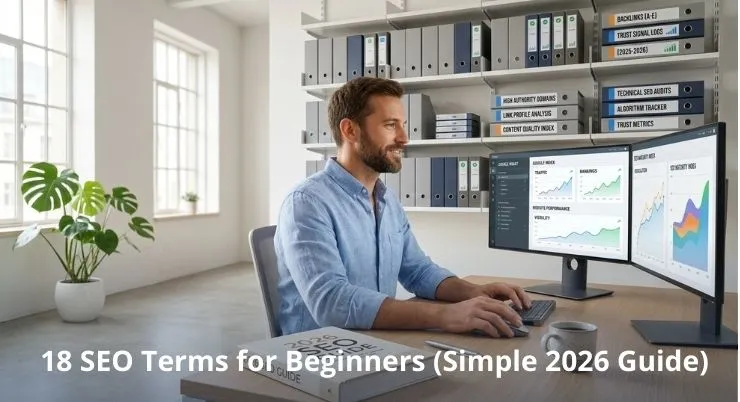
If you’re a US business owner, these SEO terms can directly impact calls, leads, and revenue. This guide breaks down SEO terms for beginners, without the jargon. You’ll get quick meanings, how each term works in 2026, and what to focus on first.
Here’s what you’ll learn in this SEO terms glossary:
- The search engine optimization terms that matter for rankings and real leads
- How key terms show up in the search results and on your website
- What to track so you stop guessing and start improving performance
Quick Glossary (SEO Terms and Definitions)
This SEO terms glossary gives you the SEO key terms you’ll hear most often in 2026. Use it as a quick SEO glossary of terms for common search engine terms.
Top 18 SEO key terms at a glance (2026)
Term | Meaning | Where it shows up | Why it matters | Quick example |
| Keyword | The words people type into Google | On-page | Matches what users search | “roof repair Dallas” |
Search intent | The reason behind a search | SERP / On-page | Helps you attract the right leads | “price” vs “how-to” |
| SERP | The search results page | SERP | Shows what Google rewards | Maps, reviews, snippets |
Title tag | Your page title in search results | On-page | Impacts clicks and rankings | “Plumber in Austin | Pricing” |
| Meta description | The snippet under the title | SERP | Improves clicks when written well | “Same-day service. Call now.” |
On-page SEO | Improvements on your website | On-page | Makes pages clearer to Google | Headings, content, links |
| Off-page SEO | Signals outside your website | Off-page | Builds trust and visibility | Links, mentions, citations |
Backlink | A link from another site to yours | Off-page | Boosts authority when relevant | Local news links to you |
| Internal link | A link between your own pages | On-page | Helps users and indexing | Services page to contact page |
Indexing | When Google stores your page | Indexing | Pages can’t rank if not indexed | Page appears in Google |
Crawling | How Google discovers pages | Indexing | Affects what gets found | Googlebot visits your site |
Canonical | Tells Google the “main” page | Technical | Prevents duplicate issues | Same page with two URLs |
| Core Web Vitals | Speed and usability signals | Technical | Affects user experience | Faster load, fewer bounces |
Schema | Code that adds meaning to content | Technical / SERP | Can earn rich results | FAQs show in SERP |
| E-E-A-T | Trust signals: experience and credibility | On-page / Off-page | Builds confidence for buyers | Real reviews, clear expertise |
Local pack | The map results for local searches | SERP | Drives calls and directions | “near me” searches |
| CTR | Click-through rate from search | SERP | Shows if listings attract clicks | 100 views, 5 clicks |
Conversion | A lead action, like a call or form | On-page | Turns traffic into revenue | Booking a consult |
Want help prioritizing what matters for your site, without doing everything at once?
SEO Terms for Beginners: What Matters Most in 2026 (and Why)
Core concepts: how search engines organize and rank content
Google still works like a giant library for the internet. First, it tries to find your pages through links and site structure. Then, it reads them and decides what each page is really about. After that, search engines organize pages into topics and subtopics. If Google trusts your page, it may store content in its index. That step is called indexing, and it’s required to show in search results. Rankings happen when your page best matches what someone needs right now. These core concepts help you understand why some pages win, and others disappear in Organic Search Engine Optimization.
Performance and authority terms vs content and technical terms
Not all SEO terms matter equally for your business. Some are performance and authority terms that impact visibility and trust. Think backlinks, CTR, and strong brand signals from credible sites. Others are content and technical terms that affect how your site works. That includes headings, internal links, schema, site speed, and overall indexing health. Great content won’t do much if the site is a mess behind the scenes. And a fast site won’t rank if the page doesn’t answer the real question. In 2026, the smart move is balance, keep it simple, keep it consistent.
Before the Terms: Understanding SEO Keywords and How Users Search
Keywords, query “phrase,” and why intent beats exact-match
When people talk about keywords, they mean the words users search in Google. A keyword can be one word or a longer query phrase. For example, “dentist” is a big, wide topic. “Emergency dentist Chicago open now” is someone with a real problem right now. In 2026, it’s less about repeating the exact words and more about matching what they actually need. Google tends to reward pages that answer the question quickly and clearly. So your content should answer the real question behind the search. That’s the core of understanding SEO keywords, especially for beginners.
The 4 types of search intent
Most searches fall into four intent buckets. Knowing them helps you pick the right page type and message.
- Informational: “How to fix a leaking faucet.”
- Navigational: “IRS refund status” or “Home Depot return policy.”
- Commercial investigation: “best payroll software for small business.”
- Transactional searches sound like “schedule a roof inspection in Dallas” or “purchase running shoes online.”
If you match intent, you get better leads and fewer wasted clicks. If you miss intent, rankings may come, but conversions usually don’t.
On-Page SEO Terms (Things You Control on Your Website)
On-page SEO means making improvements directly on your website pages. It’s the best place to start if you’re new to SEO. These search engine optimization terms shape how Google reads your pages. Clean on-page optimization makes your content easier to understand and easier to rank.
1 – Title tag (and why it impacts search results)
A title tag is the headline people click when your page shows up in Google. It tells searchers what the page is about in one line. It also helps Google decide which searches your page should appear for. Keep it clear, specific, and written for humans first. Add a location when it makes sense for US service businesses.
2 – Meta description (CTR in the search engine results page (SERP)
A meta description is the short text under your title in the SERP. It does not always raise rankings directly, but it can raise CTR. Higher CTR can lead to more traffic from the same rankings. Write it like a simple sales line, not a keyword dump. Focus on the benefit, the proof, and the next step.
3 – H1/H2 structure (readability + ranking signals)
Your H1 is the main topic of the page. H2s break the page into clear sections for readers and Google. A clean structure improves readability on desktop and mobile. It also makes it easier for Google to pull featured snippets. Aim for one idea per heading and keep it simple.
4 – Internal links (how Google finds your pages)
Internal links are links that take visitors from one page on your site to another. They help users move around and find the next helpful page. They also help Google discover and index more of your content. Use natural anchor text, not forced phrases.
5 – URL structure + slug (simple, descriptive)
A URL slug is the part after your domain name. Short, readable URLs are easier to share and trust. Avoid random numbers and keep words separated with hyphens. If location matters, include it only when it’s truly relevant.
6 – Schema markup (helps eligibility for rich results)
Schema is code that labels your content for search engines. It can help your page qualify for rich results like FAQs. That can boost visibility and clicks without changing your ranking. Use it where it fits, like services, reviews, and common questions.
Off-Page SEO Terms (Signals Outside Your Website)
Off-page SEO covers signals outside your website that affect trust and visibility. Think of it as your online reputation in the eyes of Google. These terms matter most when you compete in crowded US markets.
7 – Backlinks vs a backlink (quality > quantity)
A backlink happens when another site links back to your website. Backlinks, as a group, act like votes of confidence. One strong backlink can beat ten weak links. Quality usually means relevance, real traffic, and a trustworthy site. Local links can also help, like chambers, news sites, or industry partners. Avoid paid link schemes, because they often backfire.
8 – Domain authority (what it is—and what it isn’t)
Domain authority is a third-party score, not a Google metric. It estimates how strong a site’s backlink profile looks. It’s useful for comparison, but it’s not a ranking guarantee. Focus on earning better links and improving content, not chasing a number.
9 – Anchor text (helpful context, not stuffing)
Anchor text is the visible, clickable wording in a link, and it helps explain what the linked page covers. Good anchor text sounds natural and matches the page topic. Over-optimized anchors can look spammy, especially when repeated too often.
10 – E-E-A-T (trust signals Google looks for)
E-E-A-T is short for Experience, Expertise, Authoritativeness, and Trustworthiness. It’s how Google evaluates credibility, especially for important topics. Strong trust signals include real reviews, clear authors, and transparent business details. For service businesses, proof beats promises every time.
Technical SEO Terms (Indexing, Crawling, and Site Performance)
Technical SEO is the “behind the scenes” work that helps pages get found. If this breaks, even great content may never show up. It also affects how search engines organize your site’s pages.
11 – Crawling (how Google discovers pages)
Crawling is when Googlebot visits your pages and scans what’s there. It follows links, reads page content, and checks your site structure. If important pages are buried, crawling gets slower or incomplete. Broken links and messy navigation can waste crawl time. Good internal linking and clean sitemaps help Google discover more pages.
12 – Indexing (when Google stores content for results)
Indexing happens after crawling, when Google decides a page is worth keeping. When indexed, Google can store content and show it in search results. If a page is not indexed, it won’t rank, even if it’s published. Common causes include thin pages, duplicates, or blocked settings. In simple terms, indexing is your entry ticket to visibility.
13 – Canonical tags (avoid duplicate-content confusion)
A canonical tag signals to Google which page version should be treated as the primary page. This helps when similar pages exist, like tracking URLs or product filters. Without canonicals, ranking signals can split across duplicates. That often weakens performance and makes reporting confusing.
14 – Core Web Vitals (speed & usability signals)
Core Web Vitals measure real user experience on your site. They focus on load speed, visual stability, and interaction time. Slow pages can increase bounces, especially for mobile visitors. In many US markets, speed is a competitive advantage. Quick wins include compressing images and removing heavy scripts. Better usability helps both rankings and conversions.
SERP and Measurement Terms (How SEO Performance is Tracked)
You can’t improve what you don’t measure. These terms help you read the SERP and understand what your SEO is really doing. They also keep your optimization focused on results, not opinions.
15 – SERP features (maps, snippets, AI summaries)
SERP features are special layouts inside the search results page. They include map packs, featured snippets, “People also ask,” and AI summaries. These features can push regular listings lower on the page. That’s why rankings alone can be misleading. To compete, you may need better formatting, FAQs, or stronger local signals.
16 – Impressions, clicks, CTR (what’s improving vs what isn’t)
Impressions are how often your page appears in search. Clicks are how many people actually visit your site.
CTR is the percentage of people who click after seeing your listing. If impressions rise but clicks stay flat, your title or snippet needs work. If clicks rise but leads don’t, your page offer may be unclear. Tracking these numbers helps you spot the real bottleneck fast.
17 – Rankings vs conversions (why “top 3” isn’t the goal)
Rankings tell you where you show up for a keyword. Conversions tell you if that traffic turns into calls, forms, or booked jobs. A top-three ranking is useless if it attracts the wrong search intent. It can also fail if your page loads slowly or the next step is confusing. The goal is qualified leads, not vanity metrics. Good SEO connects visibility to action, then tracks what happens.
Ethics and Strategy Terms (What to Avoid, What to Follow)
A lot of SEO terminologies sound harmless until they cost you rankings. This section keeps the SEO key terms tied to real risk and real payoff. Use it to stay safe while still moving fast.
18 – White-hat vs black-hat SEO (risk vs sustainability)
White-hat SEO follows Google’s guidelines and builds long-term growth. Black-hat SEO uses shortcuts like spam links, hidden text, or fake pages. Those tactics can work briefly, then collapse after an update. For most US businesses, that risk is not worth it. A penalty can drop your traffic and your leads overnight. If you want one simple rule, choose steady gains over quick tricks. This is the core of Black Hat and White Hat SEO.
The best SEO strategy in 2026 (simple framework)
The best SEO strategy is simple: earn trust and make pages useful. Start with one service page per main offer, plus one supporting guide. Then improve on-page clarity, speed, and internal links. Next, build credibility with real reviews and a few strong backlinks. Finally, track conversions so you know what content drives revenue.
SEO vs Local SEO vs SEM
These search engine terms get mixed up all the time. Once you understand them, your marketing choices get much easier. They’re also some of the most common SEO keywords new business owners ask about.
SEO and Local SEO: what’s different and when you need both
SEO helps your pages rank in regular Google results across a wider area. Local SEO focuses on map results and “near me” searches. If you serve customers at a location, local usually matters more. If you sell statewide or nationwide, traditional SEO matters more. Many US service businesses need to capture every type of search, especially when balancing SEO and Local SEO.
SEM and SEO: how they work together (and when to pay for clicks)
SEM is the paid side of search, like Google Ads. SEO is the earned side, where you don’t pay for every click. SEO usually moves more slowly, but it can turn into dependable lead flow. SEM can bring leads quickly, but the bill climbs in competitive areas. Most businesses do best when they mix both, based on budget and urgency. This is why teams compare SEM and SEO when planning growth.
Common SEO Mistakes Beginners Make (and How to Fix Them Fast)
Most SEO mistakes are not “advanced” problems. They’re basic optimization gaps that keep good businesses invisible online. Fixing them usually creates quick momentum.
Mistake patterns that stop businesses from ranking
Many sites target keywords that do not match search intent. Others cram SEO terms into pages and make them hard to read. Some businesses publish thin pages with no real answers or proof. Broken internal links and messy navigation can block crawling and indexing. Another common issue is having no clear next step for visitors.
Quick fixes you can do this week
You can improve a lot without rebuilding your whole website.
- Rewrite title tags to match what customers actually search
- Add one clear H1 and clean H2 sections on key pages
- Improve one service page with FAQs, proof, and strong examples
- Fix broken links and add 3–5 helpful internal links
- Speed up slow pages by compressing large images
- Add a clear call button or simple form above the fold
FAQ (SEO Terms Glossary)
This FAQ supports the SEO terms glossary above and clears up common beginner confusion. If you’re still learning search engine optimization terms, these answers will help.
What are some SEO terms?
Common SEO terms include keywords, backlinks, indexing, and on-page SEO. You’ll also hear SERP, CTR, and search intent a lot. These SEO key terms explain how Google finds and ranks pages.
What are keywords in SEO for beginners?
Keywords are the words users search for when they need something. They can be short or a longer phrase, like a full question. Pick keywords that match what your customers actually want to do.
Can I learn SEO by myself?
Yes, you can learn the basics with guides and practice. Start with one page, improve it, then measure results. Consistency matters more than trying every tactic at once.
Is SEO difficult to learn?
The concepts are simple, but the work takes patience. Most people struggle because they skip tracking and testing. If you keep it focused, SEO becomes very learnable.
Can ChatGPT do SEO?
ChatGPT can help with drafts, outlines, and ideas for content. It can also help explain search engine terms.
But it cannot replace real research, testing, and technical checks. Use it as a helper, not the strategy.
What is the best SEO strategy?
The best SEO strategy is to match intent and prove credibility. Build helpful pages, strengthen internal links, and earn a few solid backlinks. Then improve based on Search Console data, not guesses.
What are common SEO mistakes?
Common mistakes include targeting the wrong intent and weak page structure. Others include slow pages, thin content, and ignoring internal links. Many sites also forget a clear call-to-action for leads.
What are the 4 types of search intent?
The four types are informational, navigational, commercial, and transactional. Each intent needs a different page style and message. Matching intent improves rankings and lead quality.
Conclusion – Turn SEO Knowledge into Leads
Getting traffic is great, but leads pay the bills. This is where many businesses get stuck, even with solid rankings. The fix is a simple system that turns visits into action.
Simple “traffic, lead, follow-up” system (what to set up first)
Start by making each page answer one clear customer problem. Then make the next step obvious, fast, and easy.
Use one primary offer per page, not five competing options. Track calls, forms, and bookings so you know what’s working. Finally, follow up quickly so leads don’t go cold.
Here’s the basic setup that converts in most US markets:
- A focused service page with a clear promise and proof
- A simple form or booking step that works on mobile
- Call tracking and a thank-you page for measurement
- Automated follow-up texts or emails for missed calls
- A pipeline view so you can see every lead status
Get an SEO + follow-up system audit
If you want a second set of eyes, request an SEO + follow-up system audit from Pintox Digital. We’ll look for ranking gaps, conversion leaks, and tracking issues. You’ll leave with clear priorities, not a pile of jargon. Use the contact form to request the audit or book a quick call for our SEO services.