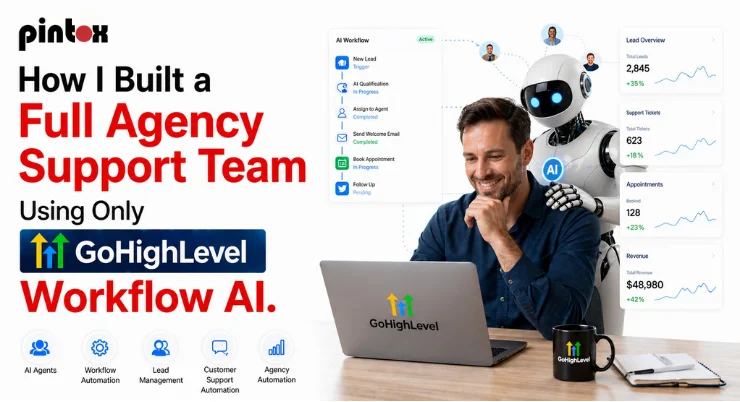
I fired my $4,000/month support team. Here’s exactly who replaced them.
That sounds dramatic. And honestly, sitting in that moment, it felt dramatic too. I’m not someone who enjoys letting people go. But the math had become impossible to ignore, and the chaos had become impossible to manage. Late replies, missed tasks, onboarding calls falling through the cracks, and clients asking the same questions for the third time. We were growing, but the support side of the business felt like it was held together with tape.
So I decided to do something that felt genuinely insane at the time: I rebuilt the entire support function of my agency using GoHighLevel Workflow AI. No new hires. No contractors. Just AI agents, smart automations, and a system that, once it was set up, essentially ran itself.
This is the full walkthrough of how I did it. What broke, what worked, and what my agency looks like now on the other side.
First, Let Me Tell You What Was Actually Breaking
Before I talk about the solution, I want to paint a picture of the problem, because I think a lot of agency owners are living in it right now without realizing how bad it’s gotten.
My support workflow looked like this: a lead comes in through a form. Someone on the team sees it, eventually. They manually send a welcome email. Then they tag the contact in the CRM, if they remember. Then someone else is supposed to book an onboarding call, but that person is already handling three other things. The lead waits. The lead goes cold. The lead finds someone else.
And that’s just the lead stage. Once someone became a client, the routine client interactions, status updates, FAQ replies, rescheduling and cancellations, and billing questions were eating hours every single day. Hours that should’ve been going into actual delivery.
The painful part? Most of these tasks were completely repeatable. Same questions. Same flows. Same outcomes. They didn’t need a human. They needed a system.
That’s when I started digging seriously into what GoHighLevel Workflow AI could actually do. Not just the surface stuff like sending a confirmation email automation, but the deeper agentic workflows where AI is making decisions, pulling information, routing contacts, and completing multi-step tasks without anyone pressing a button.
What GoHighLevel Workflow AI Actually Is (Before We Get Into the Build)
If you’ve used GHL before, you probably know it as a CRM with automation. And yes, it does that. But the GoHighLevel Workflow AI layer is a different beast. It’s built around AI agents: purpose-built bots that live inside your GHL account and are trained to handle specific jobs.
These aren’t chatbots that answer one question and get stuck. They’re closer to AI automation for business: agents that can read a contact’s history, check custom fields, look up your knowledge base, decide what to do next, and either complete the task or flag it for a human when things get genuinely complex.
The engine behind this is the Agent Studio inside GHL. You build each agent with a defined scope: what it knows, what it can do, and where it stops. You give it a knowledge base, define its tool nodes (the actions it can take), and connect it to your GHL pipeline. The result is something that can simulate human actions across your support workflow without needing a human to initiate it.
That’s the part most people miss. This isn’t just automated lead management. It’s AI agents completing work, not just sending messages.
The Team I Built (Agent by Agent)
Here’s exactly how I structured the AI support team. Think of each agent as a hire with a very specific job description.
The Lead Qualifier Agent
This one handles everything from the moment a lead fills out a form. The moment a form-based lead response triggers, this agent fires. It reads the form data, checks which service the lead expressed interest in, cross-references the custom fields, and sends a personalized first reply; not a template blast, but a response that actually reflects what the person asked about.
If the lead replies, the AI-powered customer conversations continue automatically. The agent is trained on our FAQs and help articles, so it can answer common questions on the spot. If someone asks something it can’t handle, it tags the conversation and fires a response alert to a human team member. That’s the human handoff, and it only fires when it’s actually needed.
What this replaced: one full-time person whose entire job was replying to inbound leads and sorting them into the right pipeline stage. That’s now done in minutes, around the clock, without supervision.
The AI-powered customer conversations that this agent handles also feed directly into the GHL pipeline. No manual tagging, no copy-pasting notes.
The Booking Agent
Once a lead is qualified, the booking agent takes over. This is where the calendar management piece lives. The agent sends a booking link, follows up if the slot isn’t claimed within a set window, and handles rescheduling and cancellations automatically when they come in.
Before this was set up, calendar management was a mess. Someone would book, then move the call, and the update would live in their email, but not in the CRM. Things fell out of sync constantly. Now the booking agent keeps everything in one place, updates the contact record, and sends the right SMS and email communication before every call without anyone touching it.
The Onboarding Agent
This one took the most work to build, but it’s probably delivering the most value. Once a lead becomes a client, the onboarding agent kicks in through a sub-account deployment workflow. It sends the welcome sequence, collects the intake form, and books the kickoff call, and what I love the most about this whole thing is that it checks in at the right intervals during the onboarding period to make sure milestones are being hit.
It’s trained on our knowledge base: our processes, our deliverables, our timelines. So when a client asks, “What happens after the kickoff call?” the agent knows exactly what to say. That’s knowledge base integration doing real work, not just sitting in a help center nobody reads.
The Support Agent
This is the one that handles the day-to-day. The repeated questions. The status updates. The “where’s my report?” and “can I change my billing date?” messages that used to stack up in a shared inbox every morning.
The support agent is trained on our FAQs and help articles and connected to the client’s sub-account data through API integration. It can pull a client’s current project stage from the GHL pipeline, check what’s been delivered, and give a real status update without anyone on my team doing a thing.
When something genuinely requires a human, for example, a complaint, a complex request, or something outside the agent’s scope definition, the ticket tagging system kicks in. The agent tags it, categorizes it, and routes it to the right person with context already attached. No more “can you look into this?” with zero information.
This is customer support automation tools working the way they’re supposed to: handling the volume so the humans can handle the nuance.
How I Trained the Agents
Training is where most people give up because they overcomplicate it. Here’s the straightforward version.
Each agent in the GHL agent builder gets three things: a role definition, a knowledge base, and tool nodes.
The role definition is just a clear prompt in the AI prompt box that explains what this agent does, what it doesn’t do, and how it should sound. I spent real time on these. A vague prompt makes a vague agent. A specific prompt makes something that behaves consistently.
The knowledge base is where you upload your actual content, your FAQs, your process docs, your product descriptions, anything the agent needs to reference when a client asks something. GHL does the knowledge base training in the background. Once it’s indexed, the agent can pull from it in real time during a conversation.
The tool nodes are the actions the agent is allowed to take: Update a contact field, add a tag, send an SMS or email, create a task, or trigger another workflow. This is where the agentic part happens. An agent with well-configured tool nodes isn’t just talking; it’s completing tasks. That’s the difference between a chatbot and a real workflow AI assistant.
One thing I didn’t expect: the importance of agent memory. GHL’s conversation AI retains context within a conversation, which means if a client tells the agent something early in an exchange, the agent uses it later. It reads like a person who was actually paying attention. That detail alone has dramatically changed how clients feel about these interactions.
The Workflow Integration That Ties It All Together
The agents are great, but the real magic is how they connect to the broader GoHighLevel workflow automation layer.
Every agent sits inside a GoHighLevel workflow. The workflow is what decides when the agent fires, what data it receives, and what happens after it completes its task. So when a lead fills out a form, the workflow starts, checks the custom fields, routes to the right agent, and waits for the agent’s output before deciding the next step. If the agent qualifies the lead as hot, the workflow moves them into the hot pipeline stage and triggers the booking agent. If they’re cold, they go into a predictive lead nurturing with an AI sequence that drips content over time and checks back in after 30 days.
That workflow integration is what separates a bunch of disconnected AI agents from an actual support system. The agents don’t just respond, but they advance a process.
There are GHL automation hacks I’ve layered on top of this, too. Things like using web search integration inside certain agents so they can pull current information when needed, or setting up conditional branches that route to completely different agents depending on what service the client is on. But those are refinements. The core build I just described is what replaced the $4,000/month team.
Before and After: What the Numbers Actually Look Like
I want to be honest here. Setting this up took about three weeks of real focused work. There were broken workflows, agents that gave weird answers before the training settled, and one very embarrassing incident where the booking agent double-confirmed the same call four times. Business process automation is not magic; it’s engineering.
But here’s where things landed:
Before: 3 people handling inbound, onboarding, and support at roughly $4,000/month combined. Average response time: 4–6 hours. Client satisfaction: decent but inconsistent. Team burnout: real.
After: 4 AI agents handling about 80% of all support volume. Average response time: under 3 minutes. Human team involvement: escalations and strategy only. Monthly cost of the entire AI setup: folded into the GHL plan we were already paying for.
That 80% is the number worth focusing on. Twenty percent of interactions still need a human, and that’s fine. That’s what the human handoff is designed for. The point isn’t to remove humans entirely. It’s to make sure humans are doing the 20% that actually requires them, instead of spending their entire day on the 80% that doesn’t.
Can GoHighLevel Workflow AI Actually Replace a Human Support Team?
This is the question everyone’s circling, so let’s just answer it directly.
For most of the volume? Yes. The lead qualification, automated lead management, appointment scheduling, rescheduling, and cancellations; FAQ handling; onboarding check-ins; and status updates. All of this can be handled by well-built GoHighLevel Workflow AI agents. And handled well, not just handled.
For relationship-level work? No, and it shouldn’t try. When a client is frustrated and needs to feel heard, when a decision needs strategic input, when something unexpected happens outside the scope of any playbook, those are human moments. The CRM automation handles the infrastructure. People handle the relationship.
The framing I use internally: the AI agents are the support team, and the humans are the senior team. The agents do the volume. The humans do the judgment.
What Tasks Can GoHighLevel AI Agents Actually Automate?
Since people always ask for a concrete list, here it is. These are the things my agents are doing right now, every day, without anyone managing them:
Instant replies to new inbound leads with personalized, context-aware messages. Lead qualification through a conversation flow that ends with a pipeline stage update. Appointment scheduling and calendar management: booking, confirming, rescheduling, and cancellations. Onboarding sequences are triggered by the deal stage with milestone check-ins. FAQ responses pulled from the knowledge base in real time. Routine client interactions like status checks and billing questions. Ticket tagging and routing for anything that needs a human. Automated lead management across multiple pipelines for different services. SMS and email communication timed to client behavior, not just a calendar. Response alerts when something needs immediate human attention.
That’s not a feature list. That’s a job description. And it’s being filled, every day, by marketing automation tools that were already inside the platform I was paying for.
How to Train AI Agents With a Knowledge Base in GoHighLevel
The actual steps, quickly:
Go into your GHL account settings and navigate to the AI Agents section inside Agent Studio. Create a new agent and give it a name that describes the job, like “Lead Qualifier,” “Support Agent,” or whatever makes sense to you. Write the role prompt in the AI prompt box. Be specific: what does this agent know, what can it do, what should it never do, and what tone should it use? Upload your knowledge base content, which includes your FAQs and help articles, process documents, and service descriptions. GHL indexes this in the background. Add your tool nodes and the actions the agent can take inside your GHL account. Connect the agent to a GoHighLevel workflow so it fires at the right trigger.
Test it obsessively before you go live. Have someone pretend to be a difficult client and see where the agent breaks. Fix the prompt. Re-test. This troubleshooting automation phase is where the real quality comes from.
The whole build for a basic agent takes a few hours. A production-ready agent with full knowledge base integration and proper tool nodes takes a day or two. It’s worth doing right.
GoHighLevel Workflow AI: The Setup That Changed Everything
Here’s the part nobody tells you: the biggest win from building this wasn’t the money saved. It was the clarity it created.
When your support workflow automation is airtight, you can see exactly what’s happening at every stage. Every lead, every client, every interaction; it’s all tracked, tagged, and visible in the GHL pipeline. There’s no more wondering if someone followed up. There’s no more “I thought you handled that.” The system either did it or flagged why it didn’t.
That visibility is what makes GoHighLevel Workflow AI a genuinely different kind of tool from the marketing automation tools most agencies are used to. It’s not just automating tasks; it’s creating a record of everything that happened so you can make better decisions going forward.
If you want to see how this works inside a real GoHighLevel services setup, from the agent builds to the workflow integration to the pipeline structure, Pintox offers a free Stack Audit where we map your current support chaos and show you exactly what an agentic build would look like for your specific agency.
Final Word About GoHighLevel’s Workflow AI
Building this wasn’t overnight work, and it wasn’t perfect from day one. But on the other side of it, the agency runs quieter, the clients get faster and more consistent support, and the team is finally doing work that actually needs them. GoHighLevel Workflow AI didn’t just replace a support team; it replaced the chaos that came with one. If you’re an agency owner sitting on a hiring budget that’s eating your margins, it might be worth seeing what a proper agentic build looks like for your business before you post that next job listing.