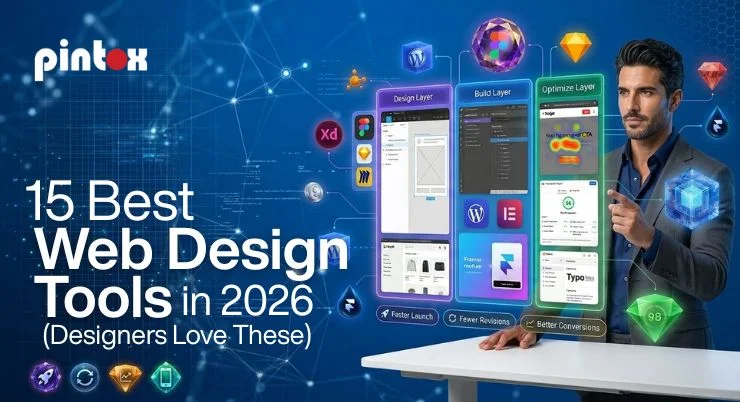
Choosing the right tool saves time and avoids rework. It also helps you launch faster and convert more visitors. This list is built for real projects, not hobby builds. It fits USA businesses, agencies, and solo designers.
Top Website Design Tools by Skill Level, Budget, and Use Case (2026)
Not everyone needs the same setup. Your best tool depends on speed, budget, and team size.
Best “all-around” web designer tools for teams (collaborative UI/UX + Collaboration)
- Choose tools with real-time comments and version control.
- Look for shared libraries and easy handoff to developers.
- Prioritize collaborative UI/UX if you work with clients.
Best tools to design a website fast (drag-and-drop editors + responsive templates)
- Pick drag-and-drop editors for quick layouts.
- Use responsive templates to launch without custom coding.
- Keep simple designs if you want faster approvals.
Best robust no-code + Visual Builders for launching without dev help
- Visual Builders are great for landing pages and marketing sites.
- Robust no-code tools can power full sites and CMS content.
- Make sure you can edit SEO fields and page speed settings.
Want the right tool stack for your goals? Book a quick call and get a clear recommendation.
How to Choose Good Web Design Tools (What Matters in 2026)
Many tools look similar at first. The details decide your long-term success.
Collaboration + handoff (collaborative UI/UX)
If you work with a team, collaboration matters most. Look for shared components and clear permissions. Check how design specs export to developers. Good handoff reduces revision cycles.
SEO control + speed + mobile performance
Your tool should support clean code and fast pages. It should also let you edit metadata without plugins. Mobile performance matters for USA search traffic. Google rewards speed and clarity. If SEO is a priority, build with best practices early using SEO-Friendly Web Design.
AI generation vs real design decisions
AI generation can speed up early drafts. It can also create generic layouts that look the same. Use AI for ideas, not final structure. Humans should decide hierarchy, trust, and conversion flow.
Web Designing Tools at a Glance (Best for, Pricing, Learning Curve)
Tool | Best For | Skill Level | Pricing Range | Platform Type | Prototyping | SEO Control | Notes |
| Figma | UI design + teamwork | Intermediate | Free–Paid | Design app | Strong | N/A | Collaborative UI/UX leader |
Adobe Photoshop | Visual assets | Intermediate | Paid | Design app | Limited | N/A | Great for image editing |
| Webflow | Marketing sites + CMS | Intermediate | Free–Paid | Visual Builder | Medium | Strong | Strong control, steeper learning |
Framer | Fast landing pages | Beginner–Intermediate | Free–Paid | Visual Builder | Medium | Medium | Speedy builds and effects |
| WordPress | Flexible business sites | Beginner–Advanced | Free–Paid | CMS | Low | Strong | Huge ecosystem, needs upkeep |
Elementor | WordPress visual building | Beginner–Intermediate | Free–Paid | Drag-and-drop editor | Low | Medium | Fast pages with care |
| Shopify | Ecommerce | Beginner–Intermediate | Paid | E-commerce platform | Low | Medium | Best for stores, app costs add up |
Wix | Quick small sites | Beginner | Free–Paid | Drag-and-drop editor | Low | Medium | Easy, less flexible long-term |
| Squarespace | Clean portfolios | Beginner | Paid | Site builder | Low | Medium | Great templates, limited control |
Sketch | Mac UI design | Intermediate | Paid | Design app | Strong | N/A | Solid, smaller ecosystem now |
| Zeplin | Design handoff | Intermediate | Paid | Handoff tool | N/A | N/A | Smooth developer handoff |
Hotjar | UX behavior | Beginner | Free–Paid | Analytics | N/A | N/A | Heatmaps for conversion work |
Note: Many people call these web designer tools or web designing softwares. The right choice depends on your goal and team, plus the Web Design Benefits you want to achieve.
The 15 Best Tools for Designing Websites (2026 List + Best-For Use Cases)
This section covers tools for designing websites across the full workflow. You will see design, building, and specialized tools. Each pick includes a quick “best for” note.
UI/UX + Prototyping & Wireframing Tools
1) Figma
Best for team-based UI design and prototyping. It supports comments, libraries, and shared files. It is the go-to for collaborative UI/UX work.
2) Sketch
Best for Mac-first teams who want clean UI workflows. It offers solid components and symbol management. It pairs well with handoff tools.
3) Adobe XD
Best for teams already in Adobe workflows. It supports basic prototyping and page flows. Check adoption trends before committing.
4) Balsamiq
Best for quick wireframes and stakeholder alignment. It keeps ideas simple and avoids pixel debates. It is great for early-stage planning.
5) Miro
Best for workshops, journeys, and layout planning. It helps teams align before design production. It supports collaboration across departments.
Visual Builders + Drag-and-Drop Editors for Professional Sites
6) Webflow
Best for marketing sites that need clean control. It supports CMS pages and structured layouts. It is strong for professional sites and scaling content.
7) Framer
Best for fast landing pages and modern motion. It is a strong homepage design tool for quick tests. It works well for startups and campaigns.
8) WordPress
Best for flexible sites with many integrations. It can be simple or advanced, based on your setup. It is one of the most used tools for web design.
9) Elementor (WordPress)
Best for fast builds with a visual editor. It helps beginners ship pages without code. Watch page speed and plugin overload.
10) Shopify
Best for e-commerce with clean checkout and apps. Themes can be customized for strong branding. It is great when you want to sell online fast.
Specialized Tools (performance, assets, testing, handoff)
11) Adobe Photoshop
Best for image editing and marketing graphics. It supports advanced asset creation and resizing. It is a staple in web designing softwares.
12) Illustrator
Best for logos, icons, and vector assets. It keeps assets crisp across all screen sizes. It also supports scalable brand systems.
13) Zeplin
Best for developer handoff and specs sharing. It makes spacing and fonts easy to export. It reduces confusion in the build stages.
14) Hotjar
Best for understanding user behavior. Heatmaps show what people click and ignore. It helps improve conversion and navigation.
15) Google PageSpeed Insights
Best for diagnosing performance issues. It shows speed, core metrics, and fixes. It supports better SEO and user experience.
Want help choosing and building the stack?
Best Web Design Tools for Beginners vs Professionals
Beginners and pros should not use the same approach. Skill Level affects speed, cost, and outcomes. Pick tools that match your workflow today.
Beginners: pick tools to design a website with templates + guided workflows
Beginners should choose tools with guardrails. Use responsive templates to avoid layout issues. Pick drag-and-drop editors with strong support. That path helps you launch without frustration.
Good picks for beginners often include Wix or Squarespace. WordPress can work too with the right setup.
Pros: web designing software that supports components, prototyping, and team collaboration
Pros need systems, not just pages. They need components, tokens, and prototyping support. They also need real Collaboration and handoff. That is where Figma, Webflow, and advanced WordPress setups shine.
Free vs Paid: Are Free Web Designing Tools Enough for Real Business Sites?
Free plans can be useful. They can also create hidden limits later. The goal is professional results, not just a live URL.
When free works (MVPs, portfolios, early testing)
Free works for early proof and quick demos. It is fine for portfolios or temporary campaigns. It also helps validate content before spending.
When free becomes expensive (limits, scaling, SEO control, performance)
Free plans often limit custom domains and SEO settings. They may add branding you cannot remove. They can also restrict integrations and tracking. Those limits cost leads over time.
Best web designing software considerations for growing USA businesses
If you want scale, focus on ownership and flexibility. Pay for features that support tracking and SEO control. Choose platforms that match your growth plan.
Not sure what to pick? We can map the best option in one short call.
Homepage Design Tool Checklist (So Your Site Converts)
A homepage should guide action. It should also earn trust fast.
Above-the-fold essentials for USA audiences (clarity, trust, speed)
- Clear headline that states what you do.
- One primary CTA button, not five.
- Proof near the top, like reviews or logos.
- Fast loading media and compressed images.
- Simple designs that reduce decision fatigue.
Mobile-first checks + responsive web design techniques
Mobile-first design keeps your site easy to use on phones. Use responsive web design techniques so pages fit every screen and load fast.
- Buttons should be easy to tap.
- Text should be readable without zoom.
- Navigation should stay simple and predictable.
- Forms should be short and clear.
Why the Right Tools for Web Design Improve Workflow and Results
Tools shape how fast you ship. They also affect how well your site converts. Better workflow creates better outcomes.
Faster iteration + fewer revisions
- Shared components reduce repeated work.
- Clear handoff prevents build mistakes.
- Prototyping aligns stakeholders early.
Better tracking + better conversion outcomes
- Strong SEO control supports steady traffic.
- Analytics tools show what users actually do.
- Faster pages reduce bounce and lost leads.
FAQ: Web Design Tools (2026)
Which web design tools are most popular among designers?
Figma leads for UI design and collaboration. Webflow is popular for marketing builds. WordPress remains common for flexible sites.
What tools do professional web designers use in 2026?
Pros use a mix of tools, not one tool. A typical stack includes Figma plus a builder. They also use testing tools and performance checks.
Which web design tools are best for beginners?
Beginners do best with guided site builders. Wix and Squarespace are common starting points. Elementor can work with WordPress, too.
Are free web design tools good for professional projects?
Free tools can support early drafts and testing. Paid plans are often needed for serious business sites. You usually need better SEO control and integrations.
What tools are used for prototyping and wireframing?
Figma and Sketch handle prototyping well. Balsamiq is great for quick wireframes. Miro helps with flow and structure planning.
How do web design tools improve design workflow?
They speed up design, review, and handoff. They reduce rework with shared components. They also help teams collaborate in one place.
Final Recommendation
If you want a DIY path, keep the stack simple. Pick one design tool and one builder. Do not overbuy tools you will not use.
If you want it done right, focus on outcomes. That means messaging, design, SEO, and performance. A tool alone will not fix a weak strategy. Strong results start with the Basics of Web Design.
Book a discovery call
Want a site that looks sharp and drives leads? Explore our web design and development services and book a discovery call for a clear next step. You will leave with a practical tool plan and a build path.