
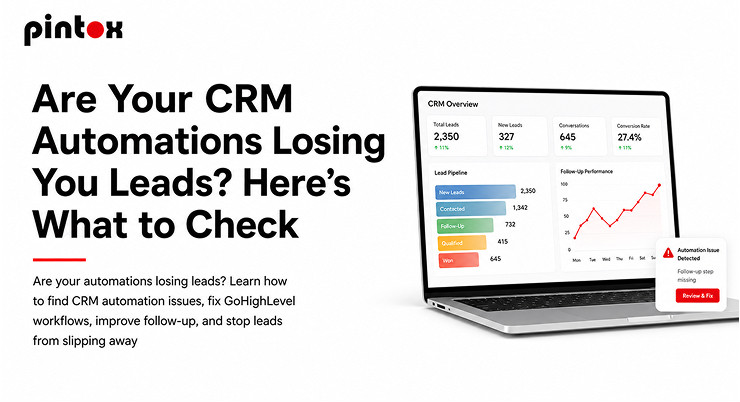
CRM automation is supposed to make things simpler and faster. Someone becomes a lead, a reaction comes from the software, the contact gets into your database, and follow-up actions are scheduled; thus, your salespeople get information on what they should pay attention to.
However, have you ever thought about what if something goes wrong with the whole process?
A lead fills out a form and never hears back. Your contact lands in the wrong pipeline. An auto-message arrives too late. A follow-up chain goes beyond the stage when a person has scheduled a call. And in some cases, an automation is performed just fine technically, but leaves an unpleasant impression on the recipient anyway.
Such issues occur more often than most companies realize.
If your lead numbers are great but there is no progress with your appointments and conversions, it might well be the case that your CRM automation stands behind the issue. The positive side is that most of the problems can be detected by taking a deeper look at the lead acquisition process and identifying stages of failure. Here is what should be checked.
Is Your Lead Capture Process Working Properly?
Before examining complex workflows, consider the first step in lead processing – lead intake.
The lead capture system serves as the basis for all subsequent actions. If leads are not captured properly, there is little hope to correct this issue through further automation of your CRM workflow.
First of all, examine every major source of leads.
Fill out website forms on your own. Dial the tracking number. Examine your landing pages. If you conduct any paid advertising campaign, try to submit a test lead via the same process as regular customers. Afterwards, see if the lead appears correctly in your CRM.
Search for basic details like:
- Contact name
- Phone number
- Email address
- Lead source
- Inquiry date and time
- Lead pipeline stage
- Assigned employee
- Tags or custom fields related to your business
An extremely minor issue may cause a lead not to be captured and thus processed further in your CRM.
This step should also be examined in terms of lead generation automation. Having a greater number of leads will hardly provide benefits if some of them get lost from the moment of filling out a form until the sales process.
Does the Right Automation Start When a Lead Comes In?
Once you know leads are being captured, check what actually starts the workflow.
Every automation needs a trigger. It could be a form submission, a new contact, a pipeline change, a tag being added, an appointment being booked, or another action. The important question is:
Does the trigger match what is actually happening in your business?
For example, suppose your workflow starts when a specific tag is added. If your form is creating contacts but not applying that tag, the workflow will never start.
Another common problem is having multiple triggers that overlap. A single lead might enter two different workflows and receive duplicate messages.
This is why testing is so important. Do not assume an automation is working because the workflow is published. Run an actual test and follow the lead through every stage.
Is Your Lead Follow-Up Fast and Relevant?
Fast lead follow-up can make a major difference, especially when someone has just shown interest.
A lead who fills out a form is usually expecting some kind of response. If your first message arrives hours later, the customer may already have contacted another company. But speed is only part of the issue.
The message itself needs to make sense.
Ask yourself:
- Does the first message clearly identify the business?
- Does it acknowledge what the person requested?
- Is the next step obvious?
- Is the message appropriate for the lead source?
- Does the customer have an easy way to respond?
- Does a real person take over when necessary?
An automated message should start the conversation, not make the customer feel like they are talking to a machine.
Your lead follow-up should also have a clear stopping point. If someone replies, books an appointment, or becomes a customer, they should not continue receiving messages designed for an unresponsive lead.
Can Your CRM Clearly Tell Your Team What Happens Next?
Effective lead management through a good CRM is more than just having their contact information. It involves knowing what should happen next for each lead.
Just take a glance at your pipeline and see if each step serves a particular purpose.
For instance, a simple process would be:
Lead ? Contacted ? Qualified ? Appointment Scheduled ? Proposal ? Won or Lost
The processes will be different for you depending on the nature of your business, but the crucial point is that each step should have its meaning.
The problem arises when automated processes are used to change the status of each lead in the pipeline without verifying what actually happened.
Just by changing the lead to “Contacted” when an automated message has been sent does not mean your salespeople have talked to the lead.
CRM should simplify your task by showing you what happened before, what is happening right now, and what should happen next.
Are Your GoHighLevel Workflows Too Complex for No Reason?
GoHighLevel workflows are capable of performing various actions, which is handy. The greater number of actions does not always translate into greater automation efficiency.
The first big error companies tend to make is creating overly complex workflows. Each workflow may have dozens of branches, conditions, tags, pauses, notifications, pipeline actions, and exceptions. As time passes, it becomes unclear why certain steps are there at all.
When analyzing your GoHighLevel workflows, try answering just one question:
Can someone from your team explain what this workflow is intended to perform?
If not, then perhaps you need to simplify it.
Split complex processes into smaller workflows if it is possible. Create one-purpose workflows. One workflow may take care of reacting to a new lead, another may deal with appointment notifications, and yet another with nurturing. It will help you spot the problem areas and safely make changes.
Is Your GoHighLevel Setup the Root Cause?
Sometimes the root cause lies not in your workflow. There could be a problem somewhere in your GoHighLevel setup.
Review your contact fields, tags, pipeline stages, calendars, users assigned to automations, forms, and integrations. A single minor configuration error might affect multiple workflows simultaneously.
For instance, if your workflow relies on a custom field that is incorrectly filled out, your workflow may either send you a wrong message or fail to execute certain actions.
The case is similar to calendars. If your appointment workflow relies on data that is incorrectly sent, it might result in your reminders and follow-ups behaving unpredictably.
That is the reason why it is always preferable to investigate the entire process rather than immediately rebuild your workflow.
Is the Lead Assignment Done Correctly?
Another problem you may want to consider is lead routing.
Whom do they assign a new lead to?
If your system is designed to distribute various GoHighLevel leads to different reps, locations, departments, or service groups, make sure you test these rules well.
The lead who wants to purchase one service should not end up assigned to a rep who deals with another one.
Also, a lead should not remain unassigned in the CRM while assuming that someone else is responsible for it.
Things to check include:
- Incorrect user assignment
- Leads routed into the wrong pipeline
- Duplicated contacts
- Incorrect tags
- Lead source missing
- Incorrect nurture sequence assignment
Checking several leads from various sources will give you better visibility than looking at each contact individually.
Is There Human Interaction Required in Your Sales Automation System?
Your sales automation system should enhance your selling process instead of overriding your intuition. Sales workflow automation will serve you better if your repetitive administrative functions are automated, whereas your valuable conversations with customers remain in human hands.
Some of those functions are the following:
- Notify a salesperson about a lead
- Schedule a follow-up task
- Remind about the appointment
- Transfer the contact to another stage
- Send confirmation messages
- Start a nurturing sequence
- End a sequence due to the engagement of a lead
However, your sales automation system should also understand when a human interaction is required. If a person makes a request, states an objection, asks a question, or expresses buying intent, you have to be aware of that in your system.
Your automation system should eliminate repetitive work from your sales process, not cover up valuable conversations of your team members.
Are There Multiple Automations Working at Odds with One Another?
This is one of the easiest things to miss.
One workflow may send out an SMS message, another an email, and yet another may generate a task, all for the same trigger.
On their own, each of these workflows may function perfectly fine. However, when used together, they might confuse the customer.
See if multiple workflows fire from the same trigger.
Pay special attention to:
- New lead workflows
- Appointment workflows
- Missed call workflows
- Nurturing campaigns
- Reactivation campaigns
- Stage pipeline automations
When a customer gets three messages within minutes from three different workflows, the system might still technically be functioning, but the experience will definitely not be.
What Happens When a Lead Responds?
Do not test just what happens when the lead gets into the automation. Test what happens when the lead responds.
Let us say that you send out five follow-up emails in ten days. The lead replies to your email after receiving the second one. Then what?
- Does the automation pause or shut down?
- Is the sales team inform about it?
- Is the lead move to the right stage in your pipeline?
- Does another automation take its place?
If you do not know the answer to these questions, there is a problem in your automation. The same can be said for a lead who books an appointment.
The problem with timing can silently undermine even well-executed automations. A message sent at once might be valuable. But the very same message after three days may be useless. Check each and every delay within your processes.
Think:
- What is the reason for this delay to happen?
- Is the timing relevant?
- What if the prospect replies while you are waiting?
- What if the prospect makes a booking?
- What if the prospect becomes unreachable?
- Is the next message still relevant?
Do not include delays just because they are use in some outdated automation template. It is important to make your automation process customer-oriented.
Are You Measuring What the Automation Is Delivering?
A workflow marked as “active” does not necessarily mean it’s working effectively. It is important to assess what goes on after automation completes its task.
Measure things like:
- Lead response rate
- Appointment booking rate
- Lead-to-customer conversion rate
- No-show rate
- Time to first response
- Follow-up completion rate
- Inactive leads
- Manually managed leads
For instance, if the automate initial response is sent successfully but hardly anyone responds to it, the problem might lie in the message content and not necessarily in the configuration of the system.
Similarly, if leads are responding but there aren’t many bookings for appointments made, then the problem might lie somewhere downstream in the sales funnel. Automation needs to be measure based on business results, not just the successful execution of the workflow.
When Do You Need an Entire Automation Audit?
If your company has grown and develope many workflows in the process, you might not even know which of those are need anymore.
Campaigns that were create long ago stay active. Campaigns based on the old ones are add. Tags are add without any description. Stages of the pipeline are change. Employees are changing. At some point, the whole process becomes hard to handle.
An automation audit will show you:
- Broken triggers
- Dead workflows
- Duplicate workflows
- Incorrect conditions
- Old messages
- Poorly routed leads
- Incomplete automation process
- Conflict of automations
A helpful audit doesn’t begin with the question, “What can we do more with automation?” But rather, “What places do our leads get stick at?”
Design Automation to Fit Your Customers’ Buying Process
The best automation system is not the most complicated. It is the system that simplifies the process for the customers and provides your team with all the needed data in a timely manner.
Begin with mapping the process:
Lead sends an inquiry ? Quick reply ? Lead gets route ? Team reaches out to them ? Appointment set ? Reminder sent ? Sales call ? Follow up ? Client
Then determine what processes should be automate. Some processes should definitely be automate. Some – left untouched. And this is crucial.
Your CRM automation system should assist in quick replies, organization, and avoiding repetition without losing the uniqueness of customer interactions.
Frequently Asked Questions
Q1: How do I know if my automation is losing leads?
Ans: Slow first replies, lack of leads in the CRM, missed follow-ups, wrong lead assignment, duplicate messages, or leads getting stick at the same pipeline stage are some of the indicators. Monitoring reply and conversion rates may help in figuring out how to fix them.
Q2: Why are my GoHighLevel workflows not triggering?
Ans: The workflow might not trigger because the chosen trigger doesn’t match the performed action. Incorrectly tagged leads, wrongly set up connections between the forms, leads’ contact fields, filters, and other settings may result in the failure of workflow activation.
Q3: How often should I monitor my CRM automations?
Ans: It would be reasonable to perform periodic monitoring of your important automations when you make changes to the sales process, forms, pipelines, integrations, and messaging. A more extensive automation audit will help you identify outdated or even unnecessary workflows.
Q4: What should happen after the lead replies to the automated message?
Ans: You need to get a notification about the reply and proceed further according to the process you established. It might involve stopping the automated sequence, informing a colleague or yourself about the lead’s response, updating the pipeline, or scheduling the follow-up task.
Q5: Is there a possibility that too much automation could have a negative effect on lead conversion?
Ans: Yes. Several automations could deliver inconsistent messages or messages that are not necessary for customers, allocate leads inappropriately, or keep contacting a customer even though he or she had a response. The idea behind automation is to make the customer’s journey easier and not to complicate it.
Q6: In what way does lead capture differ from lead follow-up?
Ans: The former process means collection and recording of all the data related to a potential customer, while the latter occurs when a lead enters the system and includes responding to a customer, communicating with him or her, nurturing the relationship, and advancing to the next sales stage.
Q7: How can lead management be improve with the help of CRM automation?
Ans: Through automating routine activities such as lead allocation, notifications, follow-up messages, appointments, and lead nurturing.
Q8: Under what circumstances would an automation audit from GoHighLevel benefit your business?
Ans: This would be helpful if leads are slipping through the cracks, workflows are getting complicate, there are inconsistent response times, there is a duplication of messages, or the team is confuse about how the various automations work with each other.
Final Thoughts
In case the automations are causing your leads to fall through the cracks, there is no need for a complete reconstruction.
First, check whether your lead-capturing system is working fine. Verify whether your triggers are functioning correctly. Evaluate your lead follow-up strategy. Check your CRM lead management process. Test your GoHighLevel workflows from the customer’s perspective. Check routing, timing, duplicate workflows, and what occurs when a lead replies or books an appointment.
Above all, ensure to measure the consequences of automation. Just because the workflow is technically correct doesn’t mean it is commercially viable.
If you need to take a deep dive into your current automation process, we at GoHighLevel CRM services are here to assist you in evaluating the way contacts, pipelines, follow-ups, and automations are connected. If you need assistance with automating the processes, GoHighLevel automation services are here to help create, test, and optimize workflows based on the actual sales process. The main idea is quite simple – ensure all of the leads reach the next stage properly.