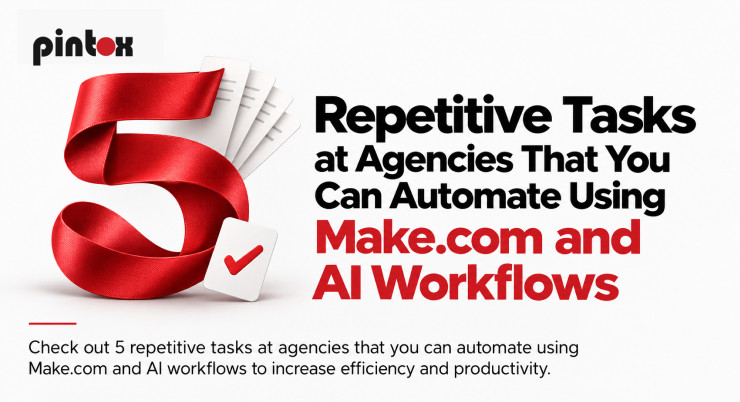
Employees at an agency work a lot more on processes that don’t even require their involvement.
Processes such as lead data entry in a CRM, onboarding emails, collecting data for reports, migrating content from one platform to another, and creating follow-up tasks are necessary tasks. But if you repeat them every day, they might take away plenty of work hours from your strategists, client work, and business development.
That’s where workflow automation for agencies works like magic.
With the help of services like Make.com and AI technologies, an agency can integrate the applications it is using and set up the process flow that automates routine tasks. The service can migrate information across platforms, and AI can assist in processes requiring the analysis of information or its generation.
It’s important to emphasize that the purpose of workflow automation is not to get rid of people. It’s about giving them less repetitive work to do. Here are five workflows for agencies worth checking.
What Agency Workflow Automation Actually Means
Workflow automation in the agency context is the use of software to manage repeatable processes in the day-to-day business of an agency.
An example of the simple workflow would be:
Lead comes in ? data is collected ? contact is created ? person is informed about the new contact ? a follow-up task is created
The non-automated scenario implies that a person should complete each step by himself. The automated approach implies that one action will initiate the whole chain of events.
AI-driven workflow automation goes even further than this. In contrast to the regular workflow, which can operate only according to the set of predefined rules, AI can analyze the data, understand it, and make decisions according to its content.
For instance, while the regular workflow knows that a form was submitted, the AI-powered workflow will read the inquiry, understand which service is being requested, create the summary, and help to assign it to the right person.
1. Lead Acquisition and Routing
Lead management is one of the most effortless processes for an agency where repetitive work occurs.
Leads could be received via web forms, landing pages, ad platforms, social media, booking forms, etc. After that, someone should collect all these leads, put them into the CRM, route leads, and notify relevant people.
Once lead traffic gets higher, it becomes challenging to manage manually.
Build an automated lead flow
Using Make.com automation, an agency can tie its leads to its CRM as well as other business tools.
One workflow scenario might be:
Submission of the form ? Make.com ? creation of contact in the CRM ? lead assignment ? notification of the team ? task for follow-up
Here, automation of lead capture and lead routing can eliminate a couple of manual actions.
Workflow might have conditional scenarios, so leads that are interested in SEO can be sent to one team, while those asking about website development and CRM might be handled by another team.
AI is useful if the data is not structured.
For instance, if a prospect sends in a lengthy inquiry rather than picking any of the offered services, the AI workflow will create a summary of it and categorize it before the lead gets routed.
2. Client Onboarding
A list of repetitive activities is usually followed by agencies after signing on a new client.
These include sending the welcome note, assigning project tasks, requesting information, notifying the delivery team, organizing documents, updating the CRM, and informing the client about what will happen next.
This kind of activity should not be done manually as it results in unnecessary paperwork.
Turn the same steps into a workflow
An automated client onboarding process can be triggered when the deal gets to a certain phase.
After that, the process can:
- Update the client record
- Notify the internal team
- Send the welcome email
- Generate project tasks
- Ask for the necessary information
- Create folders/records
- Set up reminders
- Add the client to the right communication process
Make.com workflows can tie these tasks together through the integration of various applications instead of having each action performed separately. AI can also help in handling the data provided by the client.
For example, if the new client sends in a comprehensive project brief, the AI workflow can create an executive summary of it and generate a checklist for the delivery team. Someone from the team will only need to verify the summary instead of starting from scratch.
This is how an onboarding process can become consistent and automated without being overly automated for the client.
3. Reporting and Data Collection
Report writing is yet another repetitive task performed by agencies that takes more time than necessary.
One needs numbers from various analytics, ad accounts, SEO platforms, CRMs, spreadsheets, etc. Then numbers have to be gathered, organized, checked, and delivered to the client.
Most of the work in gathering can be done by machines.
Automate report writing and decrease the manual work needed to prepare reports
One may build a workflow that will gather data from connected platforms and deliver it to a spreadsheet or a dashboard where the report will be prepared.
For example, one may build such a process:
Date of reporting ? gathering of information ? organizing information ? preparing AI summary of changes in the information ? human review ? client report
It would be a good example of the application of automated report writing.
Artificial Intelligence will help you with summarizing the change in information or preparing a readable summary of information that was approved by the agency. However, human review is still required.
Automation will help with collecting the numbers. Artificial Intelligence will be able to explain the numbers. An agency should understand the numbers and conclude them.
4. Content Repurposing and Production
It is rare for content teams to make something once and use it once. A blog post can be turned into social media posts, emails, scripts for short videos, captions, or other forms of content. What is repeated is the adaptation of that content, rather than the creation of the content.
Content repurposing is thus a good application of AI workflow automation.
Build AI content workflows around approved content
Consider that a blog has been accepted by the editor.
Now, a workflow could be used to pass the material to the AI system, which would produce desired output, including, but not limited to:
- Drafts of social media posts
- Ideas for short videos
- Emails
- Summaries of content
- Meta descriptions
- Social media captions
Make.com could automate the connection between the different stages and push the produced output to the appropriate platform for review.
The key concept here is review.
AI should not automatically produce all of the material. Agencies need to check the adherence to brand voice, accuracy of facts, tone, customer expectations, etc.
The value is in making the routine task of transformation shorter so that writers and marketers have more time for strategic decisions.
Here also lies the potential use of custom AI agents for agencies with more sophisticated needs. An agency does not need to apply AI to one isolated task, but build the process around a certain type of content.
5. CRM Updates and Routine Follow-Up
Repetitive activities also occur in CRM administration. It could be a matter of updating the pipeline stage, creating a follow-up task, taking notes, notifying another team member, and moving the contact to the proper sequence.
All these steps are vital, but follow certain rules and, therefore, can become subjects of CRM workflow automation.
Connect CRM activities with the rest of the workflow
For instance, upon booking an appointment by a prospect, the workflow could update the opportunity status, eliminate irrelevant follow-up tasks, alert the assigned team member, and set the next task within the company.
If the prospect doesn’t reply, then some other condition could trigger a follow-up task.
The same logic applies to client handovers, notifications, appointment reminders, and other routine CRM activities.
The thing is that you should clearly define all the rules before implementing automation. If your team isn’t aware of the conditions under which the lead moves from one stage to another, then the automation won’t help anyway.
How Make.com Fits into AI Workflow Automation
Make.com becomes especially valuable when an agency operates in multiple applications. Rather than having employees transfer information manually across different systems, the Make.com integration is capable of linking systems together and initiating actions depending on certain events happening within them.
Such as:
Lead form ? Make.com ? AI classification ? CRM ? assigned salesperson ? notification
Or:
Approved blog ? Make.com ? AI content workflow ? content review ? project management tool
Make.com webhook can be applied in case there is a need for a workflow to receive information from an application or system via a certain event.
Technology becomes valuable because it offers an option to create processes that are interconnected rather than separate automation processes. However, every process doesn’t have to involve AI.
In case a process consists only of transferring a contact to another system, regular automation would do. If, however, it has to interpret a message, summarize information, classify it, or generate a draft, then AI can become quite useful here.
The best combination of AI workflow automation involves using technologies according to their strengths.
What Should You Automate First?
You don’t have to automate your entire organization at once. Begin with the processes that your team repeats daily or weekly.
An ideal task often possesses some of the following traits:
- It is a frequent one
- There are predictable steps involved
- Information is constantly copied from one system to another
- Delays happen often
- Manual mistakes occur all the time
- It can be measured
- Human input is required only at specific stages
For example, if you and your team spend hours each week gathering and reporting data, such a process may be a good idea to automate instead of building an AI agent first. In the case when there are leads that wait for manual allocation, begin with the process of lead capture and routing.
The aim is not to create the most sophisticated workflow.
Frequently Asked Questions
What is agency workflow automation?
The application of automation in an agency is the use of software to carry out repeatable agency processes with a minimum amount of manual actions. Examples of agency processes include lead routing, onboarding of clients, reporting, CRM updates, notifications, and content workflows.
What is the difference between AI workflow automation and regular automation?
Regular automation is normally performed using predetermined rules. However, AI workflow automation involves analysis of the information, request classification, text summarization, and even content generation. They both can be employed in one workflow.
What is Make.com used for?
The Make.com platform is used to connect various applications and automate the process of moving information from one application to another. The applications may include CRMs, forms, spreadsheets, project management systems, communication channels, and many more.
Can Make.com be used with AI?
Yes. It can be used in combination with AI to carry out classifications, summarizations, content generation, and other types of information processing.
Which agency operations are ideal candidates for automation?
Begin with repeatable and rule-based operations that are time-consuming for employees. Tasks such as lead capturing, client onboarding, reporting, content re-purposing, and CRM management are usual targets.
Is it necessary for AI-powered workflow automation to render agencies without employees?
No. In fact, it would be smarter to automate repeatable processes while still giving employees responsibility for planning, creativity, client relations, and exception handling.
How does an agency prevent automation of too many process steps?
Focus at the beginning on automating just one particular workflow, analyze the results, and proceed carefully from there.
Conclusion
The greatest automation of an agency isn’t about the automatization of all processes. It is about finding out which work your team is repeating too often and finding an alternative solution.
Make.com automation can be used to tie together tools your agency has already implemented, while AI will allow you to automate processes involving reading, summarizing, classifying, and creating content. As a result, automation of agency workflows related to lead management, onboarding, reports, content creation, and CRM becomes possible.