
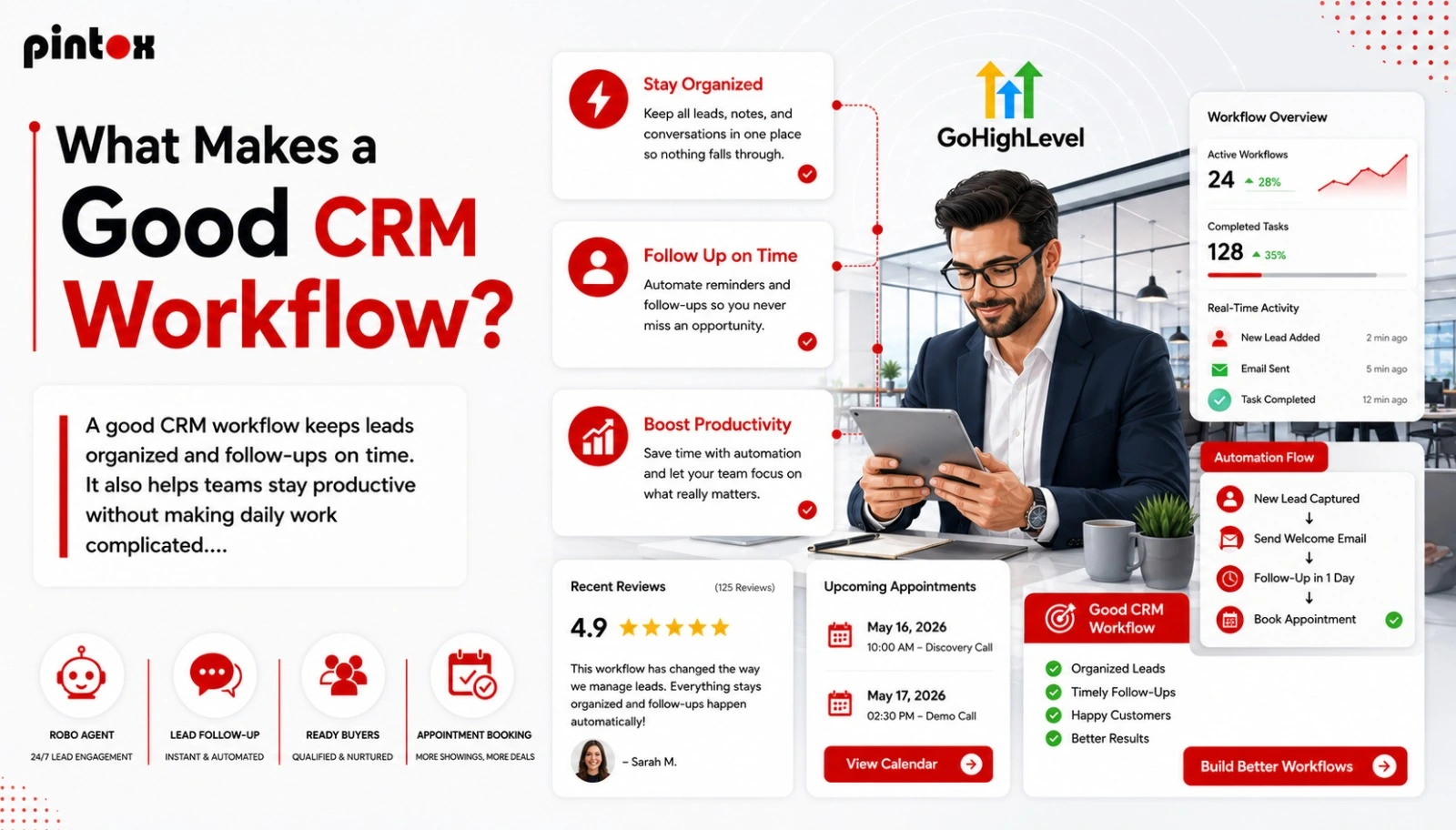
Any company eventually arrives at the stage when manual tracking of leads, follow-up actions, client communication, and coordination of efforts becomes inefficient and time-consuming. Salespeople overlook callbacks, marketing people struggle to identify the source of leads, and client interactions get dispersed among emails, spreadsheet documents, and chat programs. At such a stage, a well-thought-out CRM Workflow becomes crucial.
A CRM Workflow is not merely a way to automate a company’s processes. It helps to provide a seamless client experience while making routine tasks easier for employees. No matter whether the company is dealing with 50 leads per month or even 5,000, having an organized process of lead management, logging of communication, task assigning, and follow-ups changes everything.
Modern businesses do not use CRMs as contact repositories anymore. Companies now benefit from the automation of workflow processes, lead nurturing, reporting capabilities, etc.
Many businesses now rely on specialized platforms and GoHighLevel services to simplify customer communication, reduce repetitive admin work, and build a more reliable GoHighLevel CRM workflow for sales and support teams.
What sets successful CRMs apart from mediocre ones? Often, it is their workflow organization.
Understanding a CRM Workflow
A CRM Workflow is a series of automated or structured activities performed in a customer relationship management application. It allows organizations to handle customers’ interactions, sales process, leads, follow-ups, communication, and so on, without necessarily relying on manual input.
For instance:
- Lead fills in a web form
- CRM automatically assigns leads to sales personnel
- Automated sending of a welcome email
- Creation of a follow-up task for the sales team
- Lead is added to the lead nurturing campaign
- Notifications are generated if no action is taken within 24 hours
The above chain forms part of a customer relationship management workflow. Instead of using one’s memory or a spreadsheet for tracking, companies rely on CRM with workflow automation to ensure that each lead gets the required response.
Why You Need CRM Workflows Even More Today
Companies operate very fast today. Leads expect a quick response. Customers expect personalized communication. Teams require accurate information about their clients as well as visibility of the sales pipeline.
Without CRM workflows, organizations end up dealing with:
- Delayed responses
- Poor lead qualification
- Missed opportunities
- Duplicate contact records
- Inconsistent communication
- Weak reporting workflows
- Reduced team productivity
A strong CRM workflow management process removes these bottlenecks by organizing automated sequences around real business operations.
Modern CRM automation features also help businesses reduce delays, improve response times, and prevent CRM lead leakage that often happens when follow-ups are missed or leads are not assigned properly.
For example, an agency handling multiple inbound leads daily cannot depend on manual task assignment. A properly designed CRM software workflow can instantly route leads based on service type, location, or budget range.
This improves lead management while keeping the sales pipeline organized.
The Core Elements of a Good CRM Workflow
Not all workflows perform equally. Some create confusion instead of efficiency. A good workflow CRM setup majorly focuses on clarity, simplicity, and practical business logic.
Clear Workflow Triggers
Every workflow begins with a trigger. Trigger helps in starting the automation. Common workflow triggers include:
- Form submissions
- New contact creation
- Deal stage movement
- Email opens
- Missed calls
- Appointment bookings
- Payment confirmations
For instance, if someone books a consultation call, the CRM Workflow should automatically create calendar reminders, update the contact record, and notify the assigned sales representative.
Strong trigger logic helps businesses avoid manual tasks and maintain consistency.
Logical Workflow Conditions
The conditions determine what will be done after. This is where if/then statements come into play.
For instance:
- If the lead source is Facebook ads, direct it to the digital marketing department
- If the lead budget exceeds a certain limit, inform the top-tier sales personnel
- If a client hasn’t contacted us in 30 days, start sending them emails
Effective CRM workflow automation leverages conditions to customize communications and optimize customer workflow processes, but without making it overly complex.
Workflow Actions
Once these conditions are met, the CRM executes some actions by itself. Some possible workflow actions could be:
- Sending emails
- Creating follow-up tasks
- Updating customer dashboards
- Assigning leads
- Sending internal notifications
- Changing CRM stages workflow
- Triggering SMS reminders
- Updating field updates
A practical CRM with a workflow management system focuses on actions that genuinely reduce workload and improve communication flow.
A Good CRM Workflow Should Match the Sales Process
One of the biggest mistakes companies make is copying generic workflows from other businesses.
Every sales process is different!
A SaaS company, a real estate agency, a healthcare provider, and a marketing agency all have different customer journeys. A successful CRM Workflow should reflect the actual way a business operates.
For example:
A marketing agency may structure workflows around:
- Lead inquiry
- Discovery call
- Proposal sent
- Follow-up stage
- Contract signed
- Onboarding
- Retention campaigns
Meanwhile, an eCommerce brand may focus more on abandoned carts, repeat purchases, customer service tickets, and customer support workflows.
This is why customized CRM workflows perform significantly better than overly generic automation setups.
Automation Should Simplify Work – Not Complicate It
Many businesses overbuild their automations. They create dozens of workflow branches, unnecessary notifications, and overly complicated sales workflows that confuse employees instead of helping them.
A good CRM workflow management structure keeps things simple and actionable.
The goal is to eliminate mundane daily tasks, not create more system maintenance. Good workflows usually focus on:
- Faster lead qualification
- Better communication logging
- Consistent follow-up task creation
- Cleaner customer data
- Improved data hygiene
- Easier lead tracking
- Clear sales forecasting
When automation becomes too complex, teams stop trusting the system.
The best automated CRM workflows feel invisible because they quietly improve operations in the background.
This is also why businesses using advanced CRM platforms often look for practical GHL workflow automation tips that help simplify operations instead of overcomplicating them with unnecessary automation layers.
CRM Workflow Examples Businesses Commonly Use
Different industries use different workflow strategies. Here are some highly practical CRM workflow examples businesses rely on daily.
For example, businesses using GoHighLevel services often create automated lead nurturing systems, appointment reminders, and pipeline tracking workflows to improve consistency across their sales process.
Lead Generation Workflows
These workflows capture inbound leads and automatically organize them. A typical process may include:
- Lead form submission
- Automatic CRM entry
- Lead scoring workflows
- Team assignment
- Welcome email sequence
- Follow-up reminders
This helps businesses respond quickly while improving lead nurturing.
Lead Nurture Sequence
Not every lead is ready to buy immediately. A good CRM Workflow keeps potential customers engaged through automated email drip campaigns and marketing workflows.
For example:
- Day 1: Welcome email
- Day 3: Educational content
- Day 5: Case study
- Day 7: Consultation offer
This creates long-term engagement without requiring constant manual outreach.
Customer Support Workflows
Support teams also benefit heavily from CRM workflow automation. A support workflow may include:
- Ticket creation
- Automated help ticketing
- Priority tagging
- Team routing
- Escalation triggers
- Resolution notifications
This improves customer service workflows while keeping communication organized.
Account Management Workflows
Even after completing the onboarding process, companies require effective customer workflows to sustain the relationship. Some common customer workflows include:
- Monthly follow-ups
- Renewal reminders
- Upselling
- Reporting processes
- Customer satisfaction surveys
These processes ensure an improvement in customer retention and account management workflows.
CRM Workflow Automation and Team Productivity
One of the most important benefits of CRM with workflow automation is increased efficiency among departments.
- Sales teams spend less time entering records manually.
- Marketers get to see better results from marketing campaigns.
- Managers have access to improved data regarding sales forecasting.
- Support teams get to provide assistance more quickly.
Instead of performing repetitive administrative tasks, team members get to concentrate on engaging conversations and strategy.
As a result, employee productivity increases.
Consider a case where a salesperson spends too much time manually entering details in customer dashboards for each phone call he makes. If there were better call logging workflows and automated communication logging, such problems could be avoided.
- Small improvements like these create major operational gains over time.
- Data Quality Is a Major Part of a Good CRM Workflow
- Even advanced automation becomes ineffective if customer data is messy.
- A good CRM Workflow should improve data quality rather than create duplicates and confusion.
Strong workflows help businesses maintain:
- Accurate contact records
- Organized lead tracking
- Proper field updates
- Consistent tagging
- Clean reporting functionality
- Better data hygiene
When your CRM data stays structured, reporting and decision-making get significantly better.
CRM Workflows Should Result in Better Customer Experiences
Customers appreciate businesses that know how to stay organized. Quick response, fast follow-ups, personalized emails, and constant communication build credibility and trust.
An efficient customer relationship management workflow means that customers won’t ever feel ignored or forgotten during the sales process.
As a simple illustration:
- When your customers submit a support request, receive confirmation right away, and see how their request moves within your organization, they understand that you are professionals.
- This is why an effective CRM workflow management helps your business both internally and externally.
- Indicators That Your CRM Workflow Requires Improvement
- Many companies are using CRM systems and still face operational challenges.
The most common issues include:
- Falling leads
- Manual information update
- Slow response rate
- Lack of sales pipeline visibility
- Unclear stages of the CRM workflow
- Contact duplication
- Poor customer communication
- No follow-ups
These problems indicate that the issue is not the CRM system but its workflow.
How to Build An Effective CRM Workflow
Any good CRM workflow strategy begins with something small. You don’t need to automate all processes at once because it can be too overwhelming for your team. It would make sense to start with such activities as:
- Leads falling through the cracks
- Teams are manually updating everything
- Slow response times
- Poor sales pipeline visibility
- Confusing CRM stages workflow
- Duplicate contact records
- Inconsistent customer communication
- Missed follow-ups
If these issues appear regularly, the problem is usually not the CRM itself – it is the workflow structure behind it.
Building a CRM Workflow That Actually Works
A successful workflow CRM strategy usually starts small. Instead of automating everything immediately, businesses should focus on the highest-impact processes first. A practical approach includes:
- Start With One Process
- Choose one repetitive process, such as lead assignment or appointment reminders.
- Define Clear Workflow Goals
Decide what the workflow should improve:
- Faster response times
- Better lead management
- Reduced manual tasks
- Improved sales process visibility
- Keep Workflow Logic Simple
Avoid unnecessary complexity. Every automation should have a clear business purpose.
Test Before Scaling
Good CRM workflow automation requires testing. Review workflow triggers, conditions, and actions regularly to ensure everything works correctly.
Monitor Reporting and Results
- Use reporting workflows and customer dashboards to evaluate performance.
- Strong workflows should improve efficiency, conversion rates, and customer communication over time.
FAQs
What is CRM workflow?
It is a predetermined series of steps in a CRM system designed to streamline managing leads, customer engagements, follow-up, and selling processes.
What characteristics do good CRM workflows have?
Good CRM workflows are simple, well-designed, scalable, and in line with actual processes. They should be used to automate some actions and improve communications, and lead management processes.
How does a CRM workflow automation function?
First, one should note that the basis of a CRM workflow automation consists of triggers, conditions, and actions. More specifically, when a trigger is activated, a series of preset actions takes place – for example, a system sends an e-mail or distributes leads.
What are the essential elements of a CRM workflow?
The core elements involve workflow triggers, workflow conditions, workflow actions, CRM stages, workflow logic, and reporting.
What do you mean by workflow triggers, workflow conditions, and workflow actions?
Triggers launch the process itself, while workflow conditions refer to the rationale behind actions; actions, on the other hand, denote actions performed by the CRM system automatically.
Why are workflows beneficial for sales teams?
A workflow enables sales representatives to manage their leads efficiently, conduct follow-ups, control their pipelines, and perform less repetitive tasks.
Final Thoughts
A good CRM Workflow goes beyond merely using technology. It involves developing streamlined processes that facilitate better communication, faster reaction times, and efficient operations.
It does not matter whether or not your company uses elaborate automation. What matters is whether or not the workflows you employ help your business operate better and enhance the experience of your customers.
Whatever type of CRM workflow you employ, whether for lead generation, customer support, or account management, the ultimate aim should always be the same – to eliminate friction and create uniformity.
When done correctly, CRM with workflow automation can revolutionize the way your company handles its lead management, customer interactions, and other processes.
If your company is still operating on a patchwork system of disparate spreadsheets, inconsistent responses, or manual administration, now is the perfect time to streamline things.